Mosaic  2
2
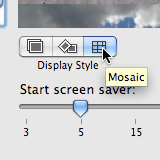 Included with Leopard, the latest version of Mac OS X, are several new screen savers, one of which is a new effect for the standard “display your photos” screen saver. The previous version only had (as far as I remember) the standard ‘slideshow’ with gentle zooming and panning effects — the new version includes two more options: ‘collage’ which shows your photos as if they were being dropped one-by-one onto a table top; and ‘mosaic’ which shows one photo and slowly zooms outwards revealing other photos which eventually combine to create another photo, which then slowly zooms outwards revealing others photos … ad infinitum.
It’s this ‘mosaic’ option I particularly like so I tried to capture a movie of it — it’s not perfect because Automator (which I used to take screen shots) could only capture an image every one or two seconds and kept crashing on the 274th capture every single time, so this movie is the product of two capture sessions combined to give it more than a few seconds worth of viewing. It’s a bit jerky and is much faster compared to the actual screen saver and as such the mosaic-to-photo fade is somewhat less smooth. Anyway, see what you think:
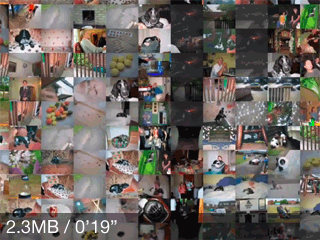
If you have trouble playing the movie you can try the alternative version.
 I spent hours playing with this last night… It rocks. Cheers Tim, wasn’t even aware it was in there. - Tyla
It’s great, isn’t it? I only discovered it when I read about it somewhere else, but it does make my MacBook work for its money — the fans get very loud after about 15 seconds! - Timmargh
Comments